
Key Fob Battery Dead? Signs, Battery Types and a Quick Fix
If your key fob battery is dead, replace its removable battery using the battery type and procedure in your owner’s manual. Call (240) 512-9203 if you are stranded or the fob is damaged.
Need help now? (240) 512-9203
Is Your Key Fob Battery Dead or Is Something Else Wrong?
- The remote works only close to the vehicle — Reduced operating range is a reason to check the battery, but range alone does not identify the fault. Compare operation in another location before treating a single failed attempt as a battery problem.
- The vehicle displays a low key battery warning — Check the owner’s manual for the exact warning shown. A key battery warning and a vehicle battery warning refer to different batteries and require different checks.
- One button fails while the others work — A single unresponsive button points toward a button or contact problem rather than proving the battery is dead. Test each button separately and note which functions still respond.
- Both the regular fob and the spare stop working — Compare their behavior under the same conditions. Two failed remotes do not establish that both batteries are dead; vehicle power or interference also needs consideration.
Which Battery Type Belongs in Your Key Fob?
A replaceable coin-shaped battery
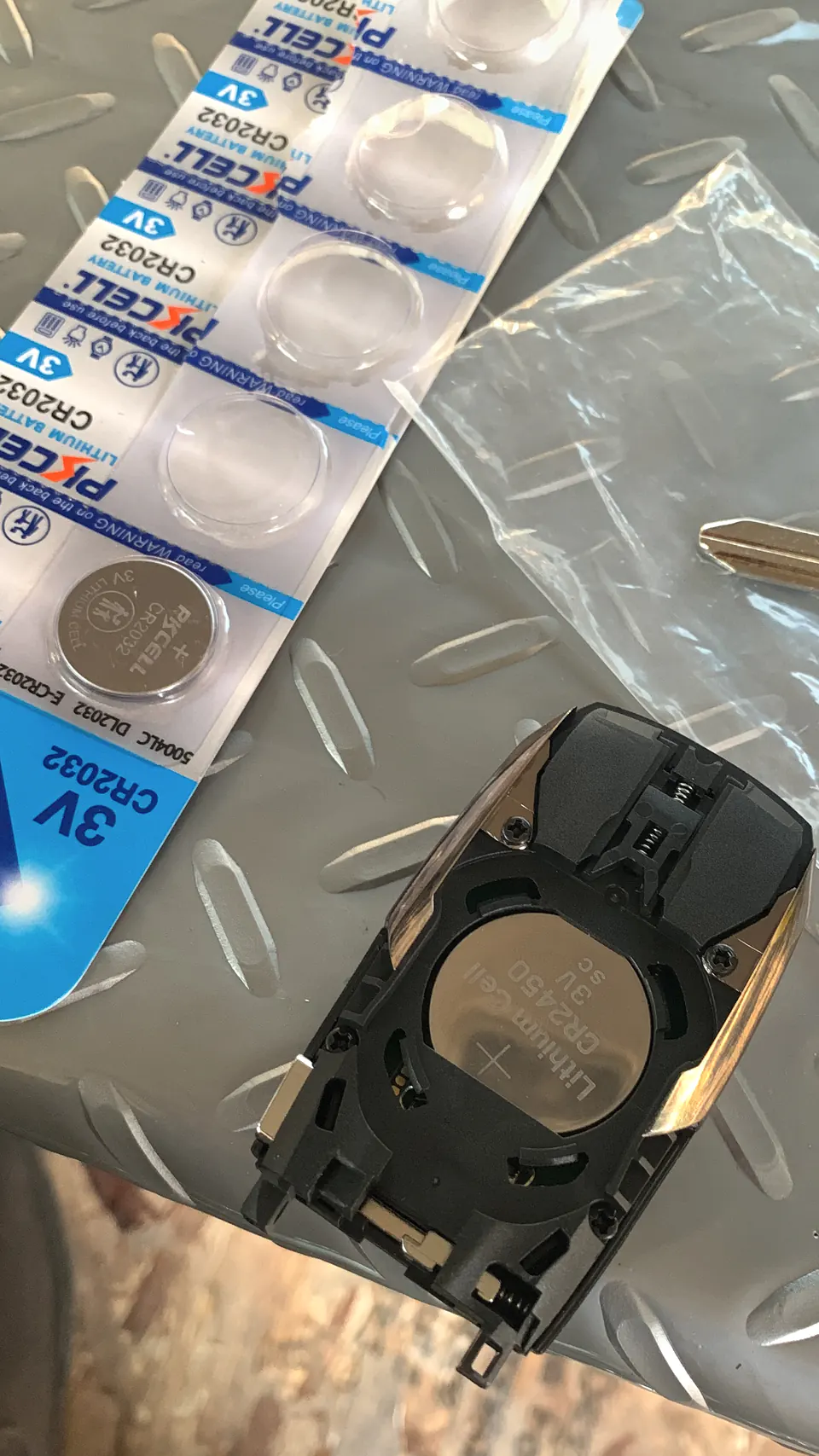
Use the exact battery designation specified for your fob. Similar-looking cells differ in thickness, voltage or chemistry, so a battery that fits loosely inside the case is not an acceptable substitute.
More than one removable battery
Follow the manual’s instructions for the number, arrangement and replacement of the batteries. Record how they sit before removal; do not add or remove a cell to make a different battery fit.
A rechargeable battery
Follow the charging instructions for that particular key. Do not replace a rechargeable battery with a disposable coin cell or attempt to recharge a disposable battery.
A sealed or nonserviceable battery
Stop if the manual does not provide an owner replacement procedure. Cutting or forcing the housing risks damage that a routine battery change does not address.
Check the Fob’s Instructions Before Separating Its Case
Find the key battery replacement section in your vehicle owner’s manual. Match its illustration to the fob in your hand, especially when the manual shows several key styles. An aftermarket replacement fob needs instructions for its own housing.
Read the complete procedure before starting, including any instructions for removing and refitting an emergency key. A visible seam does not establish where the case should open. Stop if the pictured release or opening point does not match your fob.
Work on a clean, dry surface where the battery, cover and any loose parts remain visible. Keep loose batteries away from children and pets, and keep the fob away from water. Leave the vehicle accessible during testing so a failed remote does not leave you locked out.
Need help now? (240) 512-9203
Replace a Removable Key Fob Battery in Nine Checks
- Confirm the fob is owner-serviceable — Locate the manual’s battery replacement procedure and compare the housing with its illustration. Proceed only when the instructions match.
- Confirm the replacement battery — Read the specified battery designation and check the replacement packaging. Check every character rather than matching the battery by diameter alone.
- Remove the emergency key if instructed — Use only the release procedure shown in the manual. Check that the key comes free without bending or forcing the housing.
- Open the battery cover as directed — Follow the documented owner-level opening method. Stop if the cover resists beyond the described movement or the plastic begins to deform.
- Record the battery’s orientation — Before removing anything, note the positive and negative markings and the position of the battery holder. Check those details against the manual; do not assume the old battery was installed correctly.
- Remove the old battery — Follow the specified removal direction without bending the holder or disturbing the circuit board. Check for moisture, corrosion, leakage or broken contacts; stop the battery change if you find damage.
- Seat the correct replacement — Install the new battery in the documented orientation. Check that it rests securely in its holder without extra packing, pressure or changes to the contacts.
- Reassemble the housing — Refit the cover and emergency key according to the instructions. Check that the case closes evenly and no button is trapped or held down.
- Test beside the vehicle — Keep an accessible way back into the vehicle and test the remote functions. Check each button separately, then check whether any key battery warning remains.
Check Remote Buttons and Vehicle Recognition Separately
Test the functions your fob actually has, such as locking, opening the doors or releasing the trunk. Check them individually instead of deciding the repair succeeded after one button works. A stuck or failed button needs attention even when the other functions return.
Next, check whether the vehicle recognizes the key during its normal starting procedure. Remote button operation and starting authorization are separate checks. If the buttons work but the vehicle does not recognize the key, use the owner’s manual to identify the correct next step.
A working spare provides a useful comparison. Test it at the same location and note whether the problem follows one fob or affects both. Save those results for the locksmith rather than repeatedly opening the housing without new information.
A Fresh Battery Did Not Restore the Fob: What to Check Next
- The battery designation or orientation is wrong — Compare both with the manual again. Correct a mismatch before attempting programming or buying another fob; a replacement battery does not eliminate installation errors.
- The case does not close properly — Recheck the documented position of the battery and cover. Do not force the case shut or add material to hold the battery against its contacts.
- There is moisture, corrosion or physical damage — Stop replacing batteries as a diagnostic method. A damaged holder, wet circuit board or broken button requires assessment beyond an ordinary battery change.
- The manual specifies an additional procedure — Follow only the instructions for your exact vehicle and fob. Battery replacement, remote synchronization and replacement-key programming are different procedures; do not apply a generic sequence from another vehicle.
Need help now? (240) 512-9203
Stranded With a Dead Fob? Check the Vehicle’s Backup Instructions
If you are locked out, call before taking the fob apart beside the vehicle. Tell us whether you still have the complete key, whether a spare works and whether the vehicle shows any warning. Those details distinguish an access problem from a battery-only request.
For a vehicle you own or are authorized to use, consult its manual for any emergency entry or backup starting procedure. Use only the procedure provided for that vehicle. Do not force the door, key or ignition when the expected action does not work.
If the fob itself is missing, replacing its battery is no longer the next step. Read what happens when every car key is lost; we make a new car key on site when all keys are lost.
When Does a Key Fob Battery Problem Need a Locksmith?
Arrange our key fob battery replacement service when the opening procedure is unclear, the housing is damaged or the correct replacement battery has not restored operation. We also offer key fob repair and programming, so describe the failed functions instead of assuming the whole fob needs replacement.
We come to your location across Charles County and Southern Maryland. You hear the price before any work starts. Provide the vehicle year, make and model, along with whether the fob was dropped, became wet or stopped working immediately after a battery change.
Use our contact page to provide those details and your location. Include the battery check results and whether you have a working spare so we know what has already been tested.
Frequently asked questions
Can I change my key fob battery myself?
Yes, when the manual provides an owner replacement procedure for your exact fob. Match the specified battery, follow the opening instructions and check its orientation before reassembly. Stop if the housing resists, the holder is damaged or you find moisture inside.
Does changing the battery mean my key fob needs programming?
Battery replacement alone does not establish that programming is required. First check the battery specification, orientation and seating, then follow any additional instructions in the manual. If the fob still fails, tell us whether the remote buttons, vehicle recognition or both have stopped working.
Why does my car still say the key battery is low after replacement?
Check that the warning refers to the fob you just serviced, especially if another key is also present. Confirm the replacement battery matches the manual and sits correctly in its holder. If the warning remains, report the exact message and whether the remote functions work.
Should I replace the whole fob if a new battery does not help?
Check the battery installation and test a spare before buying a complete replacement. A failed button, damaged contact or recognition problem requires a different assessment from a depleted battery. We offer key fob battery replacement, repair and programming; give us the test results so the fault can guide the next step.
Get Help With Your Key Fob
Call (240) 512-9203 with your vehicle details, location and the results of your battery checks.